

Geo targeting in Google Ads is the practice of showing your ads only to users in specific geographic areas, from an entire state down to a half-mile radius around your storefront. For local business owners in Arizona, this is the difference between paying for clicks from someone in Ohio and paying for clicks from someone two blocks away who is ready to buy. Nearly 90% of consumers prefer personalized ads, and location is the strongest personalization signal available. Getting this right means your budget works harder, your leads are warmer, and your phone rings more.
How does geo targeting work in Google Ads?
Geo targeting, also called location-based advertising or geolocation advertising, works by reading signals that indicate where a user physically is when they search. Google Ads pulls from three main signal types to determine location.
- IP address: The server reads the user’s internet connection and maps it to a geographic area. This works on every device without any user permission.
- GPS: Mobile devices with location services enabled send precise coordinates. This is the most accurate signal available.
- Wi-Fi and Bluetooth: Google cross-references nearby network data to refine location estimates, especially indoors where GPS weakens.
The accuracy gap between these signals matters more than most advertisers realize. IP-based geolocation accuracy at city level can be as low as 55%, which means nearly half of your impressions could land outside your intended area. On a significant monthly budget, that waste adds up fast.
Geo targeting differs from geofencing in one key way. Geo targeting sets a broad zone where your ads are eligible to show. Geofencing delivers ads in real time when a user physically crosses a defined virtual boundary, like the perimeter of a shopping center or a competitor’s parking lot. Geo targeting is the foundation; geofencing is the precision layer on top.

A complete Google Business Profile strengthens your location targeting. Google uses your verified business address to improve ad relevance and eligibility for Local Services Ads, which appear above standard search results for high-intent local queries.
Pro Tip: Turn on location extensions in your Google Ads account. They pull your address directly from your Google Business Profile and show it alongside your ad, which increases click-through rates for users searching nearby.
What are the essential Google Ads location settings?
Google Ads location targeting options include country, state, city, postal code, radius, and location exclusions. Each level serves a different campaign goal.
| Targeting option | Best use case |
|---|---|
| Country or state | Brand awareness campaigns with broad reach |
| City or metro area | Service businesses covering a full metro like Phoenix or Tucson |
| Postal code | Hyper-local promotions tied to specific neighborhoods |
| Radius targeting | Businesses with a fixed service radius, like a 15-mile delivery zone |
| Location exclusions | Removing areas that drain budget without converting |
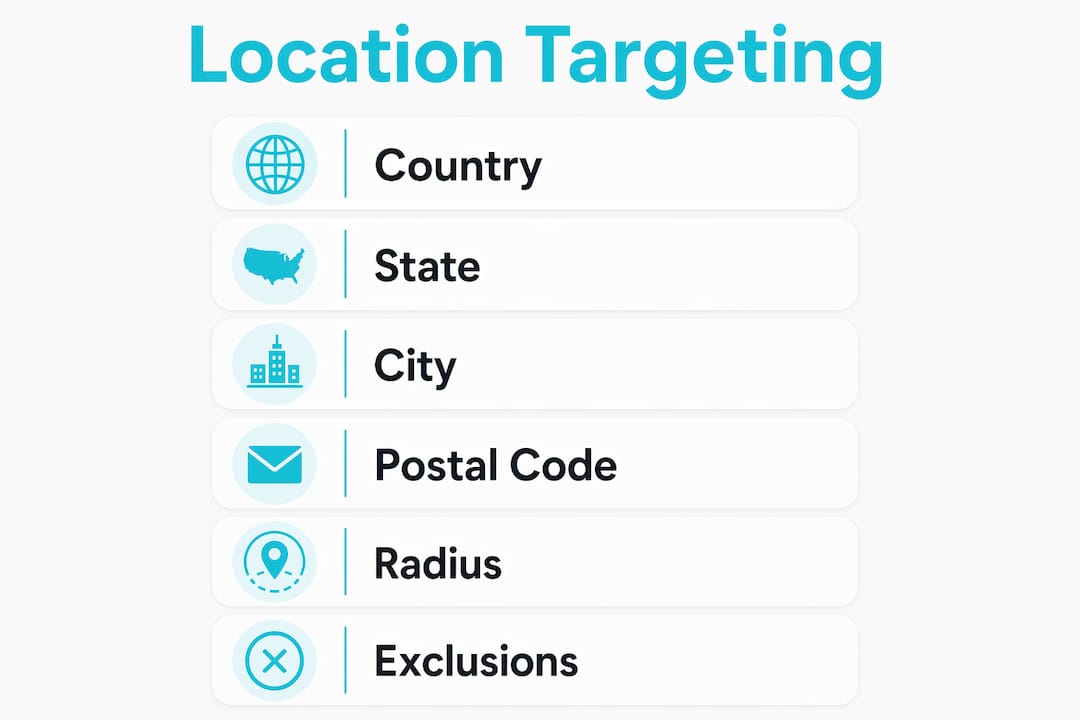
Radius targeting in Google Ads is set inside the “Locations” tab of any campaign. You enter your business address or a central point, then define the radius in miles. A Scottsdale HVAC company, for example, might set a 20-mile radius to cover the northeast Valley without paying for clicks from Buckeye or Casa Grande.
Location exclusions are just as important as inclusions. If your data shows that clicks from a specific zip code never convert, exclude it. This is one of the fastest ways to cut wasted spend without touching your bids.
Bid adjustments by location let you increase or decrease how aggressively you bid in specific areas. If your Tempe locations convert at twice the rate of your Mesa locations, raise your bid modifier for Tempe by 20–30% and lower it for Mesa. Your budget flows toward what actually works.
- Set your campaign’s location options to “People in or regularly in your targeted locations.” This prevents ads from showing to users who are merely searching about your area from somewhere else.
- Layer Local Services Ads on top of standard Search campaigns. Local Services Ads achieve 2–4x conversion rates compared to standard search ads and charge only per verified lead.
- Sync your Google Business Profile to your ad account so location data stays consistent across both platforms.
Pro Tip: Check the “Location” report under your campaign’s geographic data tab monthly. It shows where your clicks actually came from, not just where you targeted. The gap between those two columns often reveals expensive surprises.
How can local businesses get better results from location targeting?
The biggest performance gains in local search advertising come from combining the right keyword structure with the right geographic settings. Suburb-and-service keyword combinations consistently outperform broad geographic or service terms alone. “AC repair Chandler” converts better than “AC repair Arizona” because the intent is sharper and the competition is lower.
Here is a practical framework for tightening your regional targeting strategies:
- Map your service area by conversion data. Pull 90 days of geographic performance from your campaigns. Identify which cities or zip codes produce the most conversions at the lowest cost per lead.
- Apply bid adjustments based on that data. Raise bids in your top-converting areas by 15–25%. Lower bids in areas that generate clicks but no calls or form fills.
- Add geofencing for high-value locations. Target the areas around trade shows, competitor locations, or high-traffic retail zones. Geo-conquesting through geofencing competitor locations is a proven tactic for capturing foot traffic that would otherwise go to a rival.
- Combine geofencing with audience segments. Pairing geofencing with audience segments consistently outperforms single-tactic campaigns. Layer in-market audiences or customer match lists on top of your geographic zones to reach people who are both nearby and already interested.
- Review and adjust every 30 days. Location performance shifts with seasons, local events, and competitor activity. An Arizona pool company’s best zip codes in june look very different from its best zip codes in november.
Location targeting works best when it meets consumers at peak relevance moments, like when they are driving past your service area or standing near a competitor’s store. Static targeting set once and forgotten misses those moments entirely.
Pro Tip: Create separate ad groups for each major suburb you serve. This lets you write ad copy that mentions the neighborhood by name, which increases relevance scores and lowers your cost per click.
What are the most common geo targeting pitfalls?
The most expensive mistake in geolocation ads is trusting IP-based accuracy without verification. As noted earlier, city-level IP accuracy can fall to 55%. That means a meaningful share of your impressions may reach users outside your service area, and you pay for every one of them.
VPNs and proxy servers compound this problem. A user in Gilbert who connects through a VPN server in Chicago looks like a Chicago user to Google’s IP detection. You cannot fully eliminate this, but you can reduce its impact.
Layering GPS-based signals from mobile campaigns on top of IP-based desktop targeting gives you a more accurate picture of where your real audience is. Relying on IP alone for city-level or neighborhood-level campaigns is like navigating Phoenix with a map from 2005. It gets you close, but not close enough.
Common misconfigurations that drain budgets include:
- Targeting too broadly. Setting your campaign to all of Arizona when you only serve the East Valley wastes budget on users you cannot help.
- Leaving the default location option on. Google’s default setting shows ads to people who show interest in your area, not just people physically in it. Change this to “presence” only.
- Skipping exclusions. Without manual exclusions, your ads can appear in areas that look adjacent to your target but sit outside your actual service zone.
- Ignoring the “where users were” report. This report shows actual physical locations, not just the locations users searched for. Check it regularly to catch targeting drift.
First-party data is your best defense. Upload your customer list to Google Ads and use it as an observation layer. If your real customers cluster in specific zip codes, that data tells you where to concentrate your budget and where to pull back.
Key Takeaways
Geo targeting in Google Ads works best when location settings, bid adjustments, keyword structure, and audience data all work together rather than in isolation.
| Point | Details |
|---|---|
| Use presence-only targeting | Set location options to “People in your targeted locations” to avoid wasted impressions. |
| Verify with geographic reports | Check the “where users were” report monthly to catch gaps between target and actual delivery. |
| Layer geofencing on top | Add geofencing around high-value locations to capture real-time, high-intent users. |
| Combine suburb keywords | Use city or neighborhood plus service terms to reduce competition and raise conversion rates. |
| Add Local Services Ads | LSAs deliver 2–4x conversion rates and charge only per verified lead, making them cost-efficient. |
What I’ve learned about geo targeting after years of local campaigns
The thing that surprises most business owners when they first dig into their geographic data is how wrong their assumptions are. You think your best customers come from the neighborhood closest to your shop. Then you pull the data and find out your highest-converting zip code is 12 miles away, and you have been bidding 30% less there for months.
My honest recommendation for Arizona businesses in 2026: run Local Services Ads and standard Search campaigns at the same time, not one or the other. LSAs give you the Google Guaranteed badge and pay-per-lead billing. Standard Search gives you control over keywords, ad copy, and bid strategy. Together, they cover both the top of the results page and the intent-driven middle.
Keep your Google Business Profile updated. I have seen campaigns underperform for months because the business address was listed wrong, which threw off location matching. It sounds basic, but it is the kind of thing that quietly costs you money every day.
The deeper lesson is that geo targeting is not a one-time setup. It is a living system. The businesses that win with local advertising are the ones that check their geographic performance data regularly, adjust bids based on what they find, and keep testing new areas rather than assuming last quarter’s map still applies.
— Lilly
How Anchorwave helps Arizona businesses run better local ad campaigns
Running geo-targeted campaigns well takes more than flipping a few settings. It takes ongoing analysis, bid management, and the kind of local market knowledge that only comes from working in Arizona’s specific neighborhoods and industries.
Anchorwave is a local digital marketing agency based in Tucson that specializes in Google Ads campaigns for local and multi-location businesses across Arizona. The team builds location targeting structures from the ground up, using real performance data to set bid adjustments, define service-area boundaries, and layer in audience segments that match your actual customers. If your current campaigns are spending money in the wrong zip codes, or if you have never set up geo targeting at all, Anchorwave can help you fix that and start generating the kind of local leads your business actually needs.
FAQ
What is geo targeting in Google Ads?
Geo targeting in Google Ads is a campaign setting that restricts ad delivery to users in specific geographic locations, from countries down to a radius around a single address. It uses IP addresses, GPS, and Wi-Fi signals to determine user location.
How accurate is Google Ads location targeting?
GPS-based targeting on mobile devices is highly accurate. IP-based targeting at city level can be as low as 55% accurate, which means campaigns relying only on IP signals risk significant wasted spend.
What is radius targeting in Google Ads?
Radius targeting lets you define a circular service area around a specific address or point. You set the distance in miles, and Google shows your ads only to users within that boundary.
How do I exclude locations in Google Ads?
Open your campaign’s “Locations” tab, click “Add locations,” and select “Exclude” instead of “Target.” You can exclude countries, states, cities, postal codes, or radius zones to prevent ads from reaching areas outside your service territory.
What is the difference between geo targeting and geofencing?
Geo targeting sets a broad eligible zone for your ads. Geofencing triggers ad delivery in real time when a user physically enters a defined virtual boundary, making it more precise and event-driven than standard location targeting.